
Homeschool Technology Curriculum for Elementary Students (K–5)
A Teacher-Directed Digital Literacy Curriculum Built for Homeschool Families
If you are homeschooling, you already know how to teach.
What many families struggle with is not how to teach technology, but what to teach and in what order.
This K–5 Homeschool Technology Curriculum provides a clear, well-sequenced approach to digital literacy so you can confidently teach essential technology skills without designing lessons from scratch.
Built by an educator and used in real classrooms and homeschool environments, this curriculum supports thoughtful home educators who want their children to become capable, confident technology users.
Why Technology Instruction Matters in Homeschooling
Technology is no longer optional. Even in homeschool settings, students are expected to:
- Navigate websites and digital platforms
- Type efficiently and accurately
- Conduct online research responsibly
- Use productivity tools to create and communicate
- Understand digital citizenship and online safety
Without a structured plan, technology instruction can easily become inconsistent or overlooked.
This curriculum ensures your child develops practical, transferable tech skills that support learning now and independence later.
A Clear Skill Progression Across Grades K–5
This homeschool technology curriculum is intentionally sequenced so skills build year after year.
Primary Grades (K–2)
- Logging in and navigating devices
- Mouse and trackpad control
- Foundational keyboarding
- Understanding safe and responsible technology use
- Following guided, teacher-modeled instruction
Upper Elementary (3–5)
- Typing fluency and accuracy
- File management and organization
- Online research and evaluation skills
- Productivity tools such as documents, slides, and spreadsheets
- Digital citizenship, collaboration, and responsible use
- Introductory coding and computational thinking
Each grade level builds on the previous one, creating continuity rather than disconnected activities.
Designed for Teacher-Directed Instruction at Home
This is not a self-paced program where children are left to click through lessons independently.
Instead, the curriculum supports a teacher-directed approach, where you:
- Introduce skills through clear modeling
- Guide practice intentionally
- Adjust pacing based on your child’s readiness
- Stay actively involved in the learning process
Homeschool parents remain fully in control of instruction while benefiting from a well-structured framework.
Easy to Implement Without Oversimplifying
The curriculum is designed to be:
- Clear and intuitive to navigate
- Straightforward to step into at any point
- Flexible enough to adapt for different ages and learning styles
You do not need to be a technology specialist to use it. The lessons are thoughtfully organized so you can focus on teaching rather than troubleshooting or planning.
One Subscription for Your Whole Family
Homeschool families often teach multiple children at once.
With one subscription, you can:
- Use lessons with multiple children
- Adapt activities by grade or skill level
- Revisit lessons as needed
- Progress at a pace that fits your homeschool schedule
This makes it a practical and cost-effective option for families teaching more than one student.
What’s Included in the K–5 Homeschool Technology Curriculum
- Over 200 ready-to-teach lessons and activities
- Full K–5 scope and sequence
- Digital citizenship and online safety instruction
- Keyboarding and mouse skills development
- Online research and digital literacy skills
- Creativity with technology tools
- Software instruction for Google and Microsoft programs
- Introductory coding and computer science concepts
- Simple student access using a class login system
A detailed scope and sequence for each grade level is available on the site’s home page.
How Access Works for Homeschool Families
You receive one shared account that your children use to access lesson pages.
Think of it as a digital textbook, not a learning app.
You guide instruction, decide pacing, and assess learning just as you would with any other curriculum.
Students can log in using:
- A secure auto-login link
- Or a shared username and password
This setup keeps access simple while reinforcing real-world digital literacy skills.
Who This Curriculum Is For
This homeschool technology curriculum is a strong fit if you:
- Want a structured plan for teaching technology skills at home
- Value intentional, teacher-guided instruction
- Teach one or multiple children in grades K–5
- Want your children prepared for digital learning environments
- Prefer curriculum that supports your role as the educator
Created by an Educator Who Understands the Real Work of Teaching
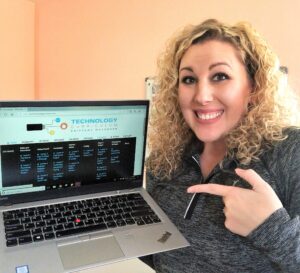
My name is Brittany Washburn, and I created this curriculum after years of teaching elementary technology with limited time and resources.
What started as a solution for my own classroom has grown into a complete K–5 technology curriculum used by teachers and homeschool families who want clarity, structure, and meaningful learning.
The lessons are regularly updated to remain age-appropriate, relevant, and aligned with current expectations.
Explore the Homeschool Technology Curriculum
If you are looking for a clear, well-organized way to teach digital literacy at home without reinventing everything yourself, this curriculum was built for you.
👉 Explore the K–5 Homeschool Technology Curriculum
No. This is a teacher-directed curriculum designed for guided instruction. In a homeschool setting, you introduce the skill, model what to do, and then your child practices. You control pacing and support, just like any other subject.
You do not need advanced tech skills to implement the curriculum. The lessons are intentionally structured and straightforward to navigate, so you can focus on teaching rather than building materials from scratch.
Yes. Homeschool families can use one subscription with multiple children in the same household. Many families use the grade-level sequence as a guide and adjust pacing based on each child’s needs.
This curriculum is designed for elementary students in grades K–5. It includes developmentally appropriate skill progression so you can start where your child is and build from there.
Students build core digital literacy skills such as computer basics, mouse and trackpad skills, keyboarding, digital citizenship and internet safety, online research skills, creativity with technology tools, productivity software skills, and introductory coding concepts.
A laptop or Chromebook is ideal for most lessons. Some activities can be adapted for a tablet as well. The curriculum is designed for a typical home learning setup.
You receive one class account to access lesson pages. Think of it like a digital textbook. Your children use that login to open lesson pages, and you decide which lesson to teach and when.
Yes. Subscription plans can be canceled at any time.
Many homeschool families use it 1–2 times per week, but you can adapt the pacing. The curriculum is organized so you can teach consistently without needing daily technology lessons.