
Because technology skills don’t develop by accident—and they don’t develop by clicking through programs alone.
Many elementary technology programs are marketed as self-paced, adaptive, or independent. While those tools may have a place, they often leave teachers supervising instead of teaching, and students clicking without fully understanding what they’re doing.
The K–5 Technology Curriculum was intentionally designed not to be self-paced.
Instead, it supports what works best in elementary classrooms:
teacher modeling, guided practice, structured routines, and meaningful application.
This Curriculum Is Built to Support Teaching. Not Replace It
Technology literacy is not intuitive for most students. Skills like logging in, navigating websites, evaluating information, formatting documents, or understanding online safety require explicit instruction.
That’s why this curriculum keeps the teacher at the center of learning.
With each lesson, the teacher:
- Demonstrates new skills step-by-step
- Guides students through structured practice
- Reinforces expectations and routines
- Monitors progress and understanding
- Collects and assesses student work
Students aren’t left to “figure it out.” They learn through clear instruction and repetition, just like they would in any other subject.
What “Teacher-Directed” Looks Like in Practice
A typical lesson follows a predictable structure:
- Teacher demonstration using visual modeling
- Guided student practice with clear directions
- Independent application within a defined task
- Reflection or exit prompt to reinforce learning
This approach allows students to build confidence while ensuring skills are taught correctly and consistently.
The curriculum provides the structure, you bring the teaching.
Why This Matters for Elementary Students
In early and upper elementary grades, students are still developing:
- Reading stamina
- Executive functioning
- Fine motor and keyboarding skills
- Digital navigation awareness
Expecting students to independently navigate complex digital lessons often leads to frustration, off-task behavior, or shallow learning.
Teacher-directed instruction:
- Reduces cognitive overload
- Supports early readers and diverse learners
- Builds routines that increase independence over time
- Leads to stronger, more transferable technology skills
This is especially important in classrooms where students only receive technology instruction once per week.
How Students Access the Curriculum
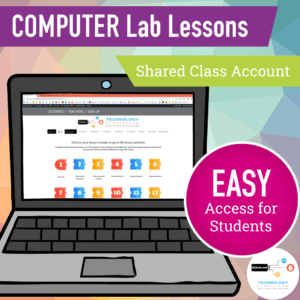
Students access lesson pages using one shared class account, similar to a digital textbook.
Teachers choose how students log in:
- Auto-Login URL for quick, seamless access
- Username and password for practicing digital literacy skills
From there, teachers direct students to the appropriate lesson page and facilitate instruction.
Students complete tasks and projects, and teachers collect work using their preferred systems.
The platform supports instruction, it does not attempt to replace it.

This Curriculum Is a Good Fit If…
- You want to teach technology, not supervise software
- You believe modeling and guidance matter
- You want students to truly understand what they’re doing on a computer
- You prefer structured lessons over open-ended clicking
- You value your role as the instructional expert
This May Not Be the Right Fit If…
- You’re looking for a fully self-paced, independent program
- You want students to work without teacher guidance
- You prefer adaptive software that replaces direct instruction
And that’s okay. This curriculum is designed intentionally, for teachers who want to teach.
A Purposeful, Teacher-Led Approach to Technology Education
The K–5 Technology Curriculum includes:
- Over 200 sequenced, ready-to-teach lessons
- Skill progression across grades K–5
- Digital citizenship, research, typing, software, and coding instruction
- Clear routines that support once-a-week instruction
- Teacher planning materials, pacing guidance, and rationale pages
It’s designed to make teaching technology easier, not more hands-off.
Explore the K–5 Technology Curriculum
👉 See how teacher-directed technology instruction works in real classrooms
-

-
 Product on saleK-5 Technology Curriculum Bundle Yearly SubscriptionOriginal price was: $185.00.$135.00Current price is: $135.00. / year
 -
K-5 Technology Curriculum BUNDLE Monthly Subscription$15.00 / month


SPECIAL OFFER: Click here and use the code TRYK5TECH1 at checkout to subscribe and get the first month for just $1 (regularly $15 per month)!
Or click here and learn more about this curriculum by watching a video overview and reading the FAQs.
Why Teacher-Directed Technology Instruction Works
Effective technology instruction for elementary students requires more than self-paced software or independent exploration. Research consistently shows that younger learners develop complex skills most successfully when teachers provide structured guidance, modeling, and feedback.
This curriculum follows a teacher-directed instructional model designed specifically for elementary classrooms and computer labs. Lessons typically follow a three-part structure:
- Teacher demonstration of the digital skill
- Guided practice with support
- Independent student application
This structure allows students to understand not only what to do, but why technology tools work the way they do.
Teacher-directed instruction is especially important when students are learning skills such as:
• file management
• digital research strategies
• keyboard and productivity tools
• responsible online behavior
• troubleshooting technology problems
By guiding students through these skills step-by-step, teachers can ensure that students build a strong foundation rather than developing habits through trial and error.
The full instructional framework that guides this curriculum is explained in more detail on the site’s Research & Evidence page.