
One building license gives every teacher in your school a full year of ready-to-teach technology lessons for all six grades. Students never create accounts, so no student data is collected. You can pay by card or purchase order.
I’m Brittany Washburn. I taught K-5 computer lab for 10 years, and I built this curriculum for schools like mine: one tech teacher, every class once a week, and no time to build lessons from scratch.
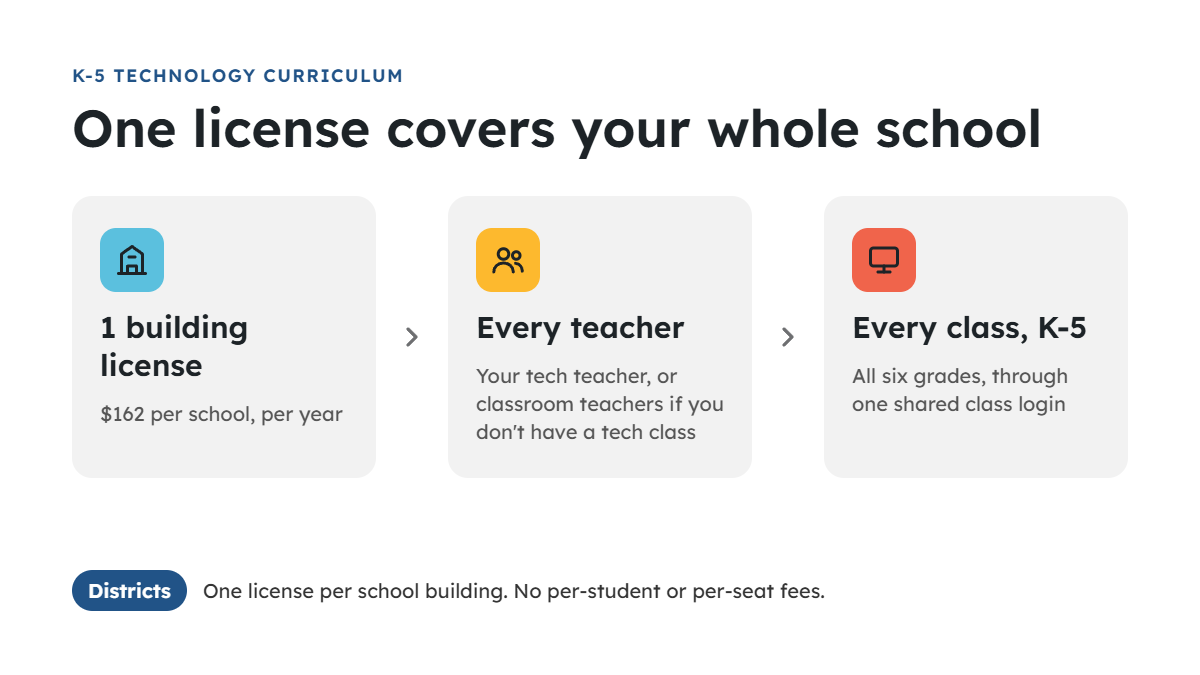
One license covers your whole building
One license is $162 per school per year, and it covers every grade from kindergarten through 5th.
| Building license | |
|---|---|
| Price | $162 per school, per year |
| Grades | All six, K-5 |
| Teachers | Every teacher in the building: your tech teacher, or classroom teachers if you don’t have a tech class |
| Students | Every class, through one shared class login |
| Districts | One license per school building |
A district with five elementary schools buys five licenses, $810 a year. There are no per-student or per-seat fees. In a 500-student school, that’s about 32 cents per student a year.
Student privacy: no student accounts, no student data
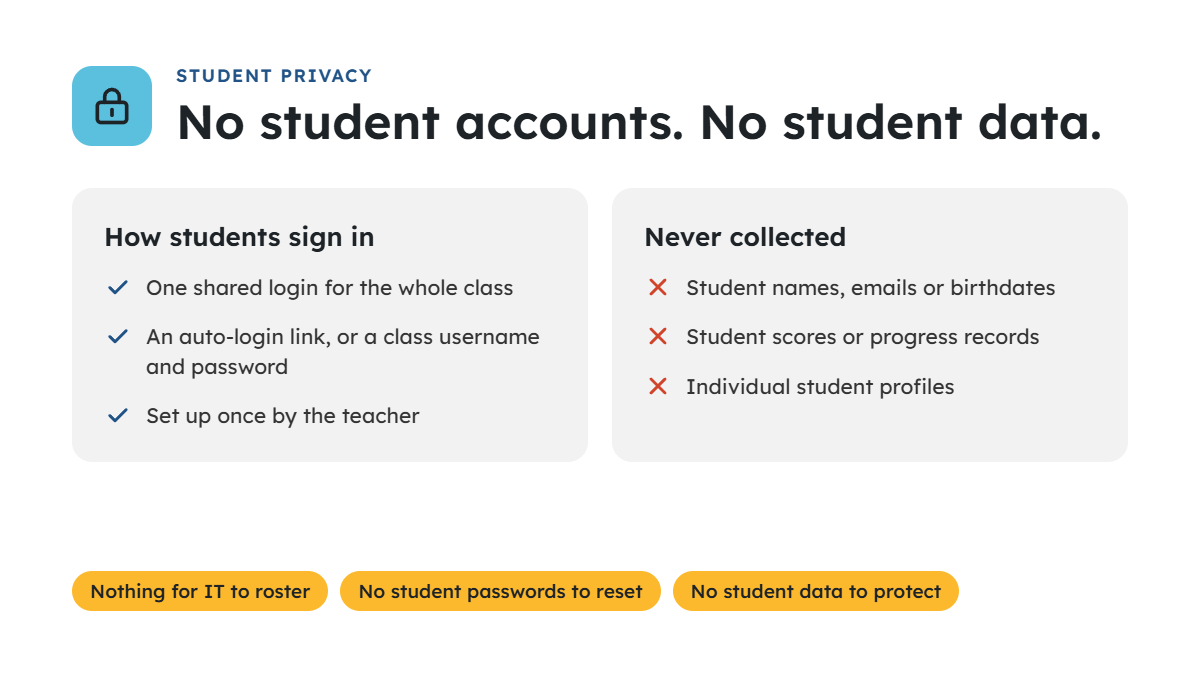
Students never sign up, log in with their own names, or create profiles. Each class uses one shared login, either an auto-login link or a class username and password, set up by the teacher.
- No student names, emails or birthdates are collected.
- No student scores or progress records are stored.
- Nothing for your IT team to roster or sync.
- No forgotten student passwords during class.
Because no student data is collected, most schools don’t need a data privacy agreement to get started. If your district requires one anyway, email me and I’ll complete your form. My privacy policy has the details.
What your teachers get
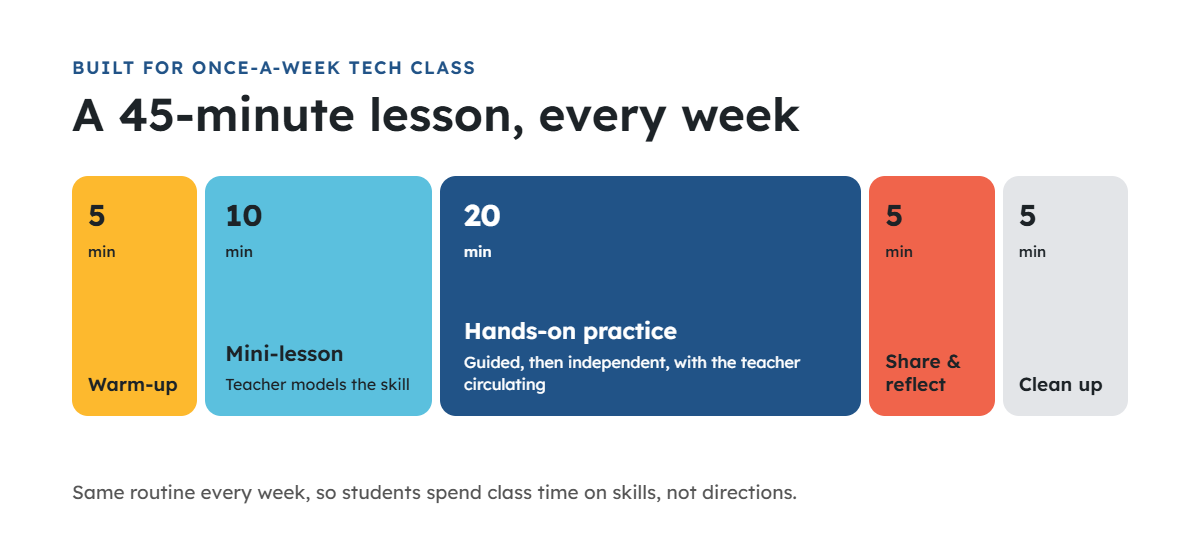
Your teachers get over 200 teacher-led lessons and activities, sequenced K-5 and built for one 45-minute class a week. That’s about 279 class sessions, a full school year of weekly tech classes for every grade. Software lessons come in Microsoft and Google versions, so teachers use whichever your school has.
| Grade | Units |
|---|---|
| K | Rules and procedures, mouse practice, keyboard practice, ELA practice, math practice, internet safety |
| 1 | Rules and procedures, mouse and keyboard review, internet safety, computers and academics, word processing, presentations, research, coding |
| 2 | Rules and procedures, typing, word processing, presentations, Hour of Code, internet safety, make a project |
| 3 | Rules and procedures, word processing, internet safety, typing, presentations, spreadsheets, online search, coding |
| 4 | Rules and procedures, technology vocabulary, internet safety and digital literacy, online research, presentations, spreadsheets, coding with Scratch, word processing and typing |
| 5 | Rules and procedures, online search, technology vocabulary, internet safety and digital literacy, coding with Scratch, creative projects (animation, 3D design), presentations, word processing and typing, spreadsheets |
Each grade also includes an editable Teaching Guide with a plan for every lesson, student lesson pages that work on Chromebooks, laptops and desktops, and a lesson checklist that lists every lesson’s I Can statements and standards codes. See the full scope and sequence for each grade.
Standards: every lesson is aligned to the ISTE Standards for Students (2024). Lessons are also correlated to the CSTA K-12 Computer Science Standards (2026), the Texas TEKS for technology applications, and Common Core ELA and math where they apply. The codes for each lesson are in the grade-level checklists, ready for your curriculum documents.
Evidence: the curriculum meets ESSA Tier 4 (Demonstrates a Rationale). It’s built on explicit instruction, guided practice and independent application. See the full Research & Evidence page.
Paying by purchase order
Schools can pay by card at checkout or by purchase order.
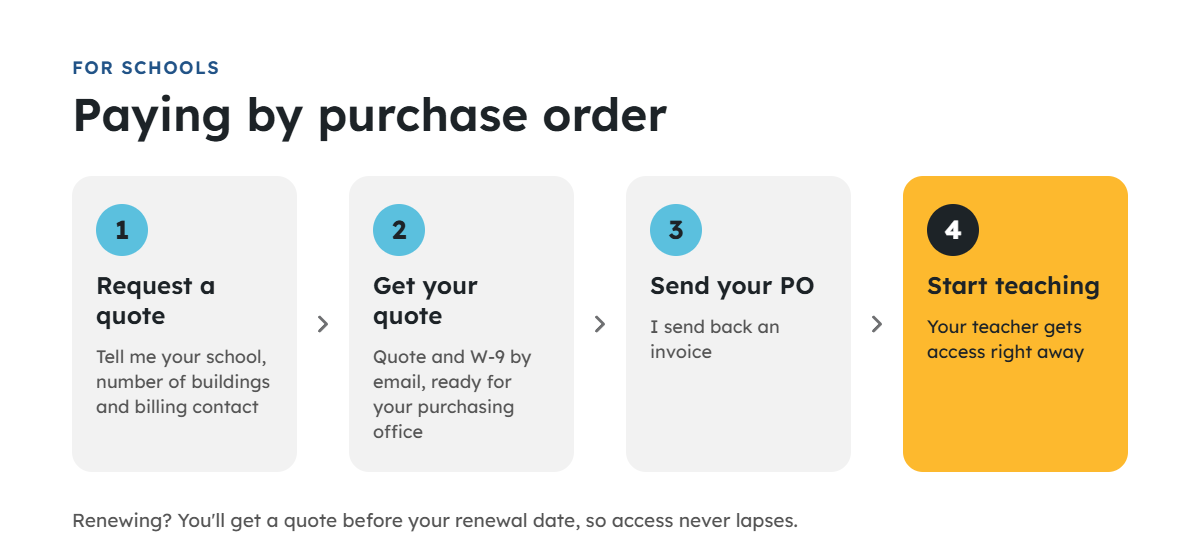
- Fill out the quote request form with your school, number of buildings and billing contact.
- I email you a quote and W-9 for your purchasing office.
- Send your PO, and I send an invoice.
- Your teacher gets access right away, so they don’t wait on payment processing.
Renewing schools get a quote before their renewal date, so there’s no gap in access.
Comparing options?
If you’re also looking at Learning.com, the main difference is who leads the lesson. EasyTech is a K-12 platform where students log in and work through assigned lessons. My curriculum gives teachers ready-to-teach lessons they lead with the whole class.
| K-5 Technology Curriculum | Learning.com (EasyTech) | |
|---|---|---|
| How lessons are taught | Teacher-led, whole class | Students work through assigned online lessons |
| Student accounts | None; one class login | Each student signs in |
| Student data | None collected | Individual progress and scores in a gradebook |
| Setup | Nothing to roster | Classes and students set up in the platform |
| Grades | K-5, built for elementary | K-12 |
| Pricing | $162 per building per year, published | Quote-based |
If you want a self-paced platform that tracks each student, Learning.com is built for that. If you want a teacher-led tech class with nothing to roster and no student data, this curriculum is built for that.
Learning.com details are from its public product pages as of November 2026.
Questions administrators ask
Can classroom teachers use it if we don’t have a tech teacher?
Yes. The license covers every teacher in the building, and lessons are written so a non-specialist can teach them.
Our tech teacher already pays for it personally. Can the school take over?
Yes. Request a quote and I’ll move the license to the school at the next renewal.
What happens when the year ends?
You get a renewal quote before your renewal date. If you don’t renew, access ends at the end of your term.
What devices does it need?
Chromebooks, laptops or desktops with a web browser. Some activities also work on tablets.
Can we use federal funds?
Many districts can. Improving digital literacy through the effective use of technology is one of the goals of federal Title IV, Part A (Student Support and Academic Enrichment). Check with your federal programs coordinator, who can confirm how your district’s Title IV-A plan treats digital curriculum.
Can we try it first?
Yes. Explore the free sample lessons for each grade, which your teachers can use with students right away. For a deeper look, start a $5 trial month with full access to every grade (use code TRYK5TECH1 at checkout).
Teachers: want your school to pay for it? Use my free funding request letter. Fill in your school’s details, attach a quote, and send it to your principal.
Ready to get your school started? Request a quote and I’ll send everything your purchasing office needs, usually within one business day.